Throughout these projects, I have had the pleasure of picking up many different skills and abilities.
An example of this is the number of Game Engines I have used:
Unity, Unreal, Godot, and GameMaker Studio.
As well as the different game genres I have experience in:
2D, 3D, First Person, Parkour, Roguelite, Arcade, Beat 'em up, Adventure, Stealth, and more
Programming Languages Used:
GameMaker Code, C#, Godot Script, Python, Java, JavaScript, CSS, and HTML5.
I also have experience using Unreal Blueprint.
I have experience in Object-Oriented Programming.
I have a lot of experience using GitHub, Google Drive, and other Google services
Press or hover over a tab to see more over a specific skill
Game Mechanics
Scroll down to learn more about how I've made multiple game mechanics within the games I've worked on and see what I've created in the past.
Weapons
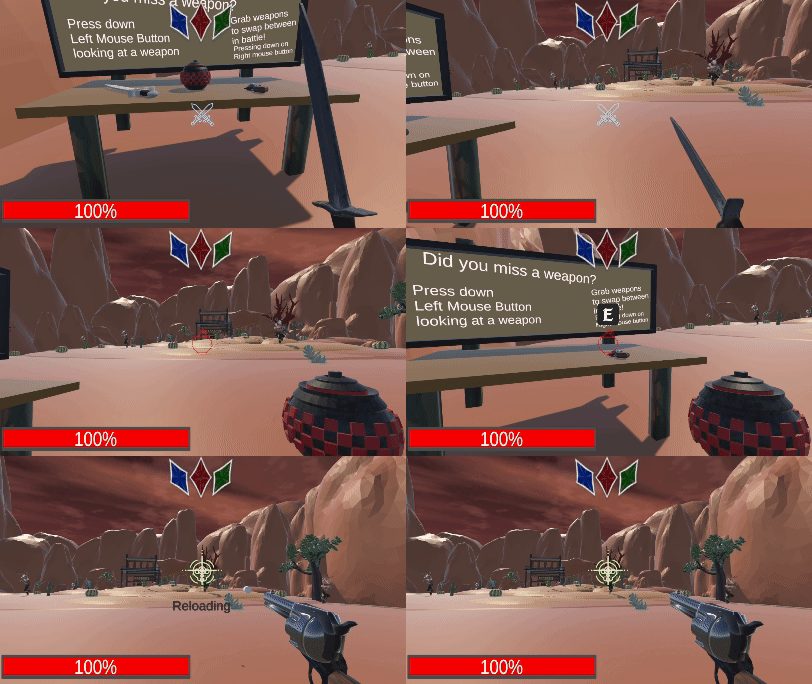
The video above shows the demo setup, not the final placement of weapons during gameplay.
There are 3 different types of weapons within the game, each being unlocked throughout each level.
- The Sword is an object that plays a swinging motion to mimic swinging it to attack, but attacks using the crosshair and distance.
- The Gun shoots out a projectile from the barrel of the gun towards the location of the crosshair. This allows you to aim, while adding some difficulty. When the bullet's collider hits the enemy, it damages them.
- The Bomb is an object that is thrown with momentum. The longer the button is held down, the more the crosshair meter will fill up. The more filled up the meter is, the further the bomb will be thrown. The bomb is also timed to blow up, so you have to work with it. It damages enemies with the explosion’s collider.
- The inventory order for sorting through each weapon is set by picking each of them up. Each weapon is gained when you pick them up at the start of each level.
(There also may be a secret easter egg weapon of a gun that shoots bombs instead of bullets)
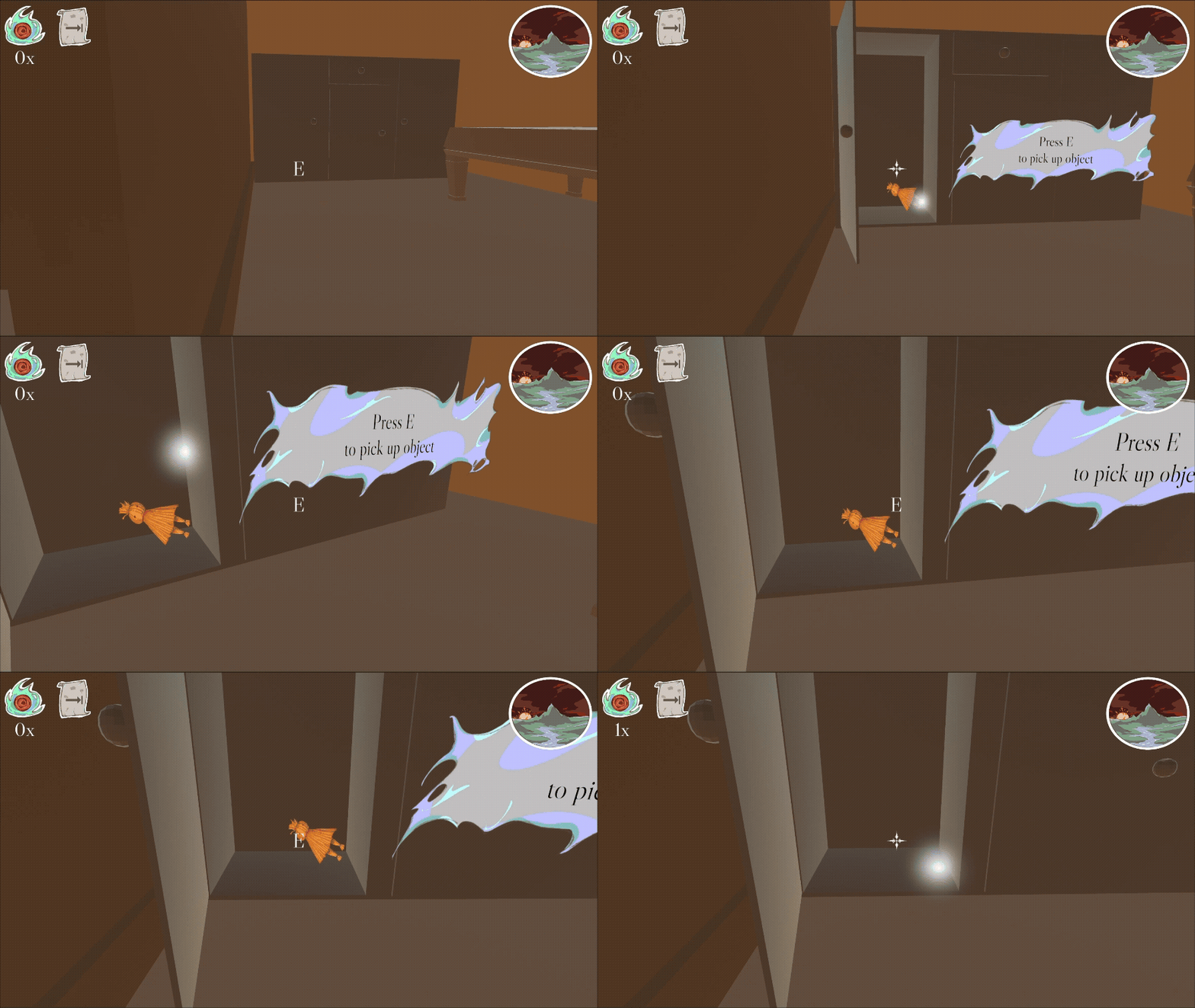
Grabbing and Dropping Objects
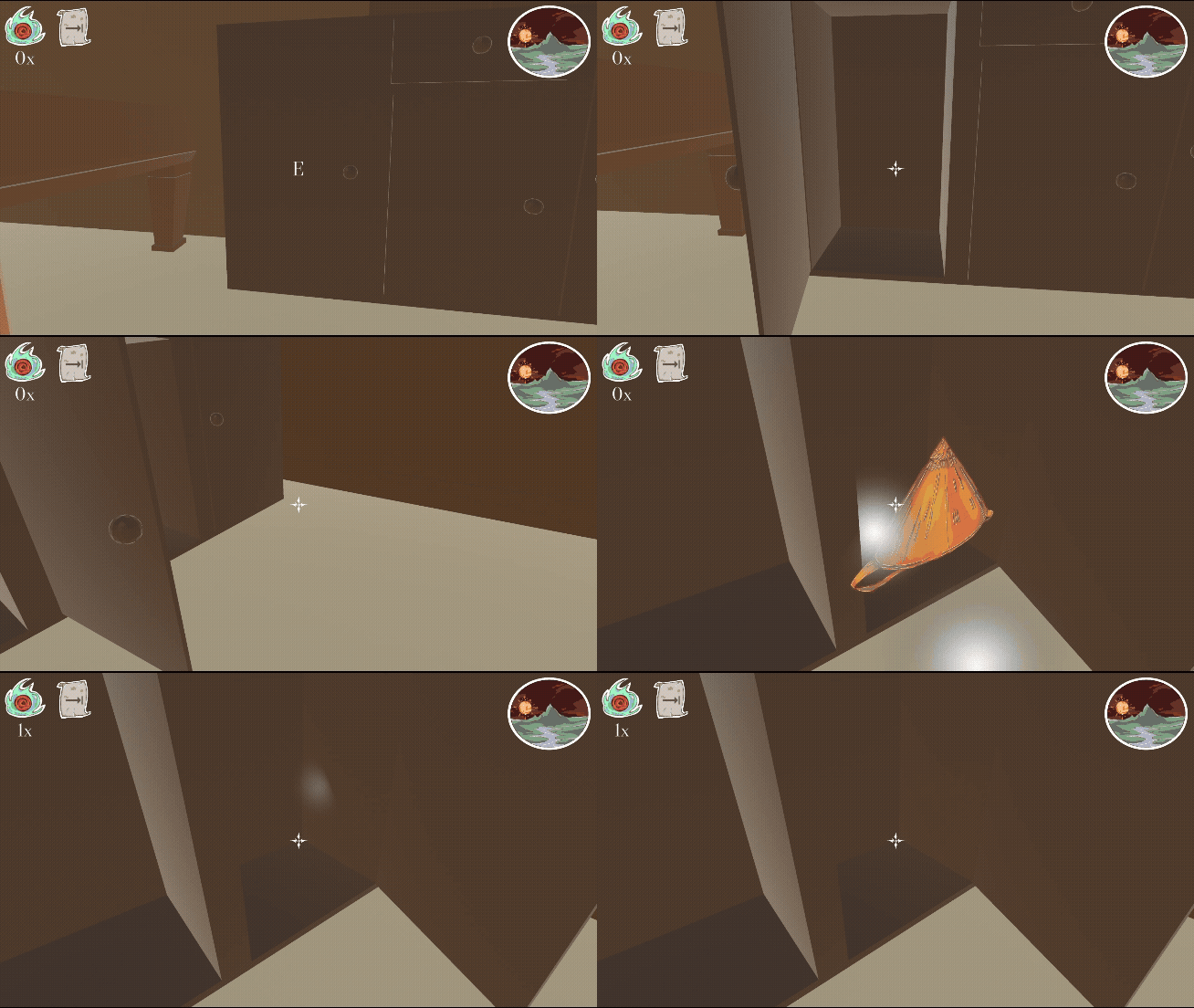
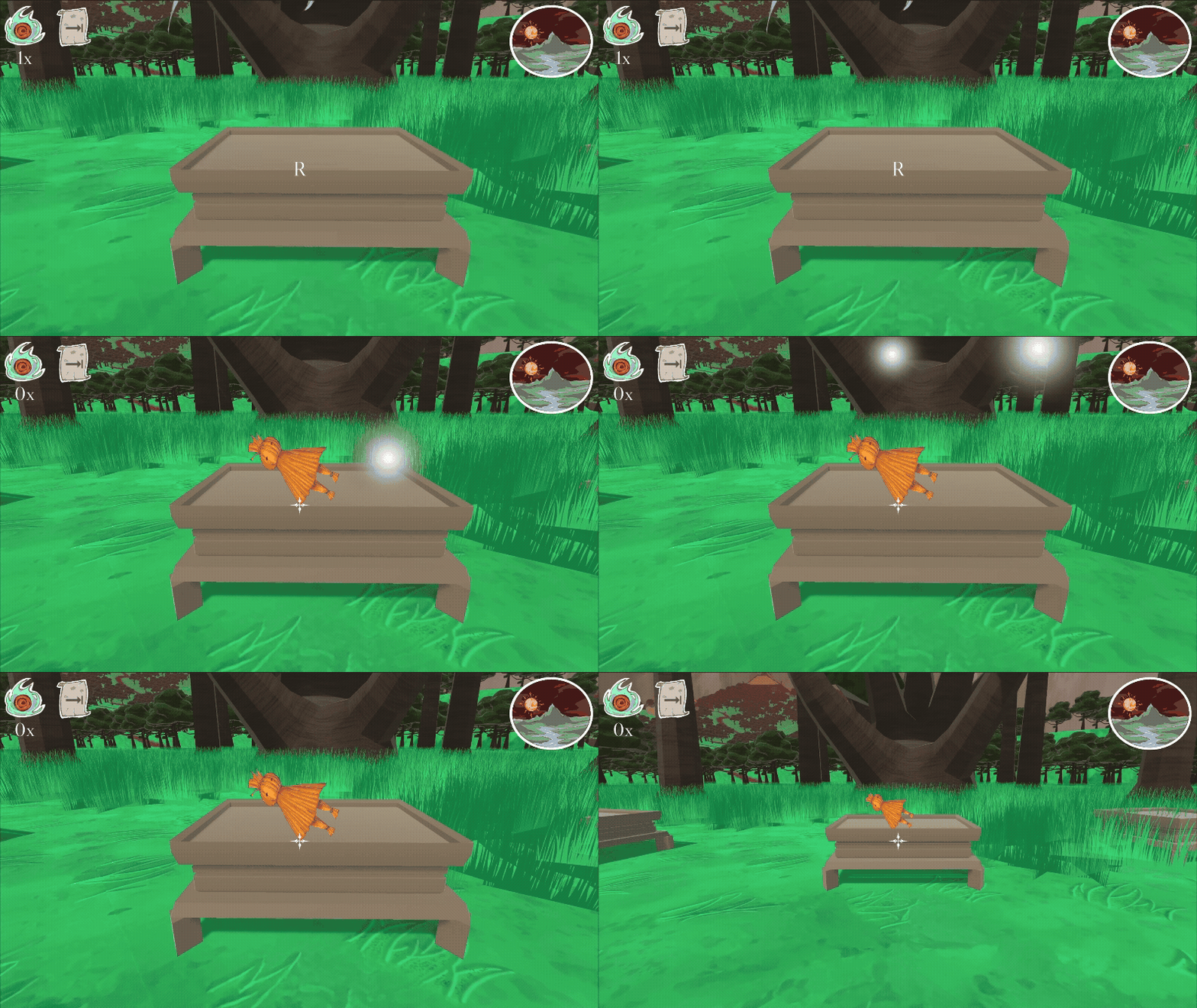
For grabbing objects, I used a raycast that looks for objects with the correct tag. Once found and the correct button is pressed, the object dissappears and is stored in the inventory.
For dropping objects, I have the raycast look for the correct tag once again. The purpose of the tag in this case is to avoid placing objects in the wrong places, possibly losing them. Once the correct tag is found, the button is pressed, and the inventory is searched for the object being placed. When found, the object is removed from the inventory and placed.
Dropping Walls for Defense
The wall is set up so that when the player's raycast hits it, the player can press the button and drop the wall. While the wall is down, it blocks all pathfinding, allowing the player to escape. The wall stays down for 15 seconds before it rises back up automatically. This forces the player to use them more strategically.
Searching Containers
When the Player's raycast hits the object with the correct tag and the button is pressed, the object changes into its opened state. Other objects can also be stored within the opened state, allowing for objects to be stored within them.
Gravity Game Project
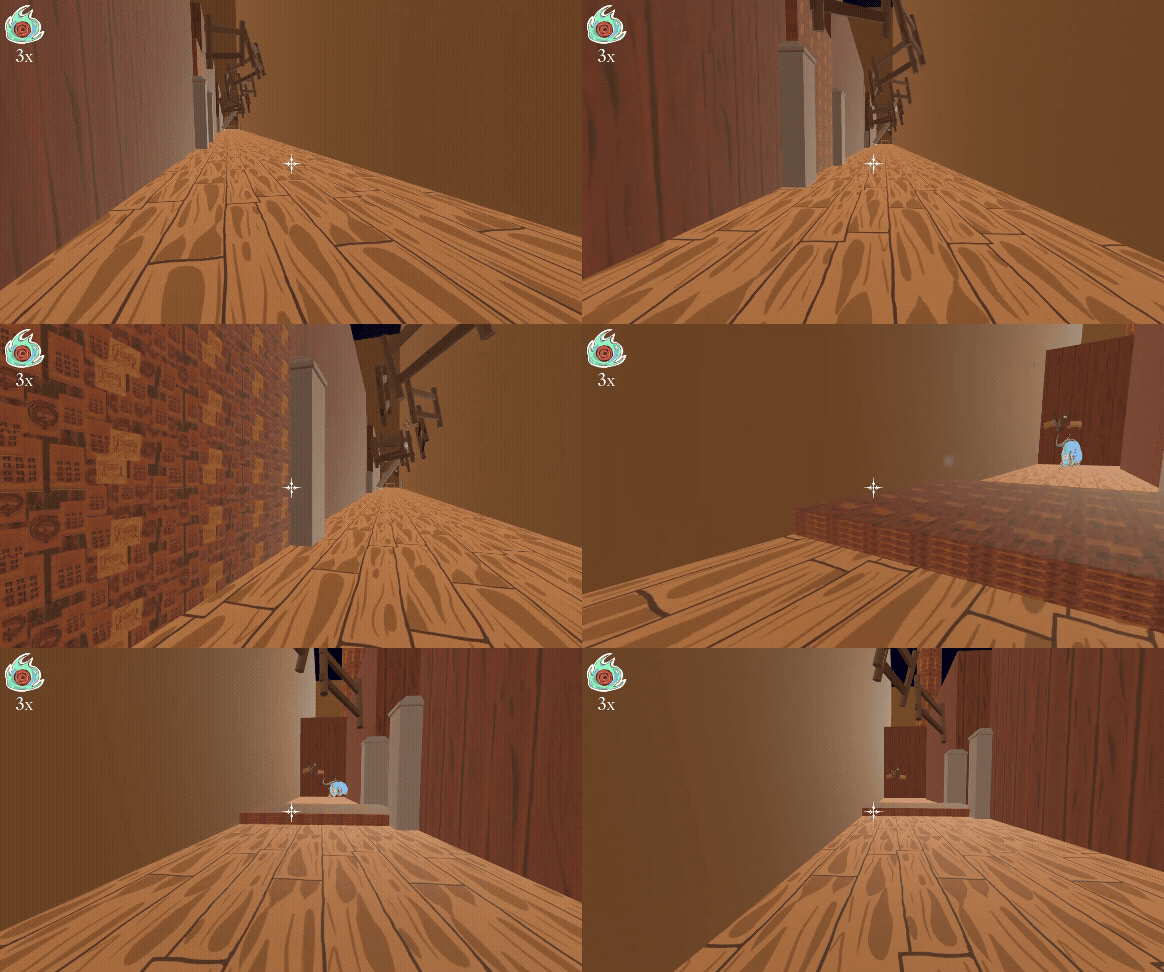
Zero gravity physics applied to the player, where they use a fan to move around and stick to gain precision.
UI
Scroll down to learn more about how I've made multiple UI mechanics and menus within the games I've worked on and see what I've created in the past.
Strange Tower Menus
The Menus in the game consist of:
- The Main Menu with a Play, Controls, and Quit button.
- The Controls menu shows the controls and has a Back button to the Main Menu. The controls also show after the cutscene the first time the player plays the game.
- The Difficulty menu that shows before playing, which has buttons and explanations for each mode.
- The Pause menu with a Continue and Quit button.
- The Respawn menu with a Respawn and Main Menu button.
AI
Scroll down to learn more about how I've made multiple different AIs within the games I've worked on and see what I've created in the past.
Wyrm and Spirit Movement
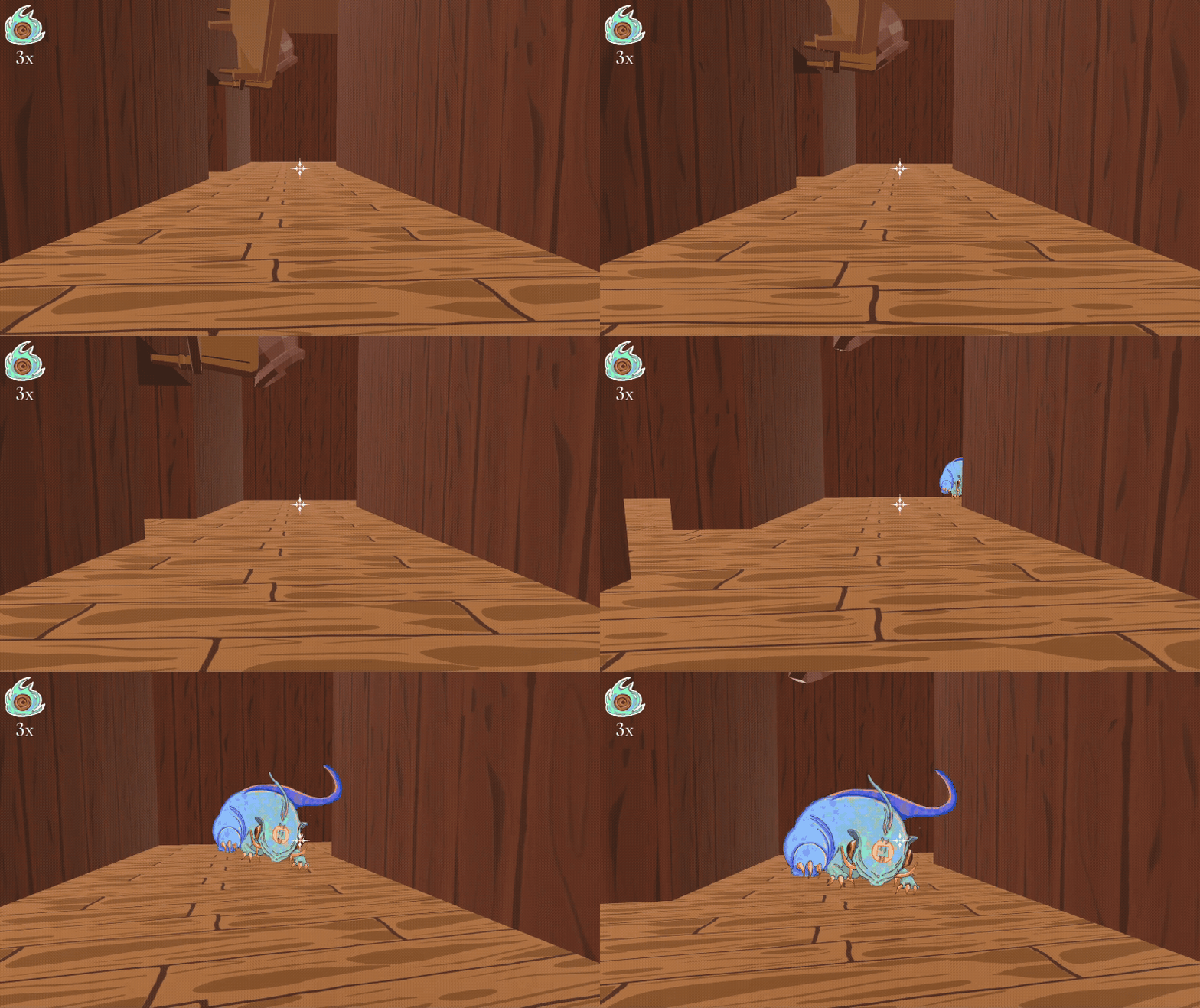
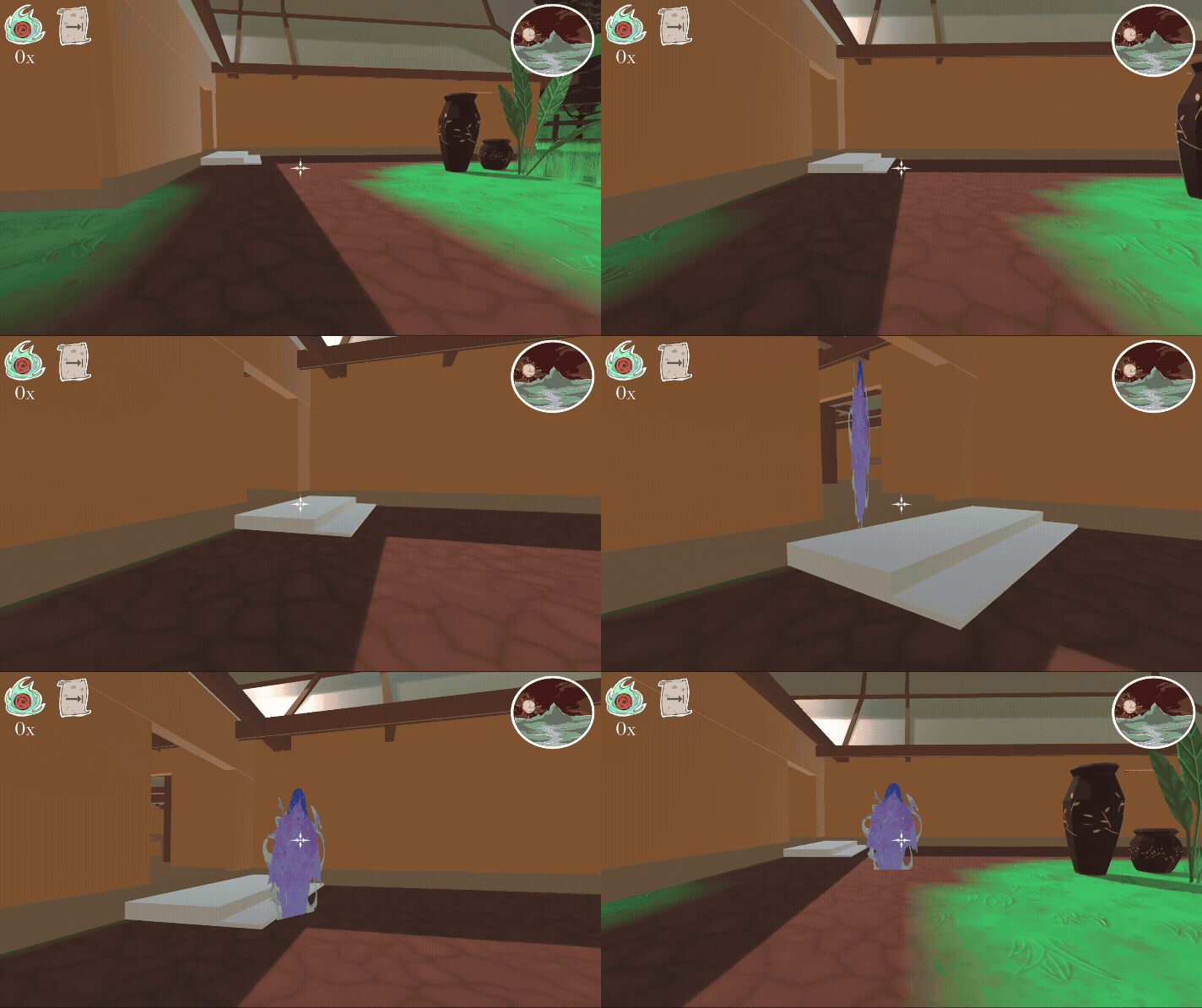
I made 3 different types of movements for the enemies to make each one feel unique. Each one, though, moves differently between the village and the arena to manage the different spaces.
- Movement 1 has the enemy move faster the farther away they are from the target. This gives the enemy an intimidating feel at times, while also being easy to dodge. It was used as a starting enemy to introduce the enemies.
- Movement 2 keeps a constant speed no matter how far away they are from their target. This allows a challenging AI that might not be intimidating, but is very difficult to escape and dodge.
- Movement 3 has them move faster the closer they get to their target. This makes them into a very intimidating and unpredictable enemy that can surprise and overwhelm, but isn't too difficult to dodge.
Targeting
There are multiple different variables regarding how the AI targets the player:
- The Player has a sound collider that the AI looks for, allowing the AI to "hear" the player from afar
- The Player's sound collider gets bigger when they run
- There are obstacles like walls that the player can throw down to block the pathfinding, forcing the AI to take the long way towards them
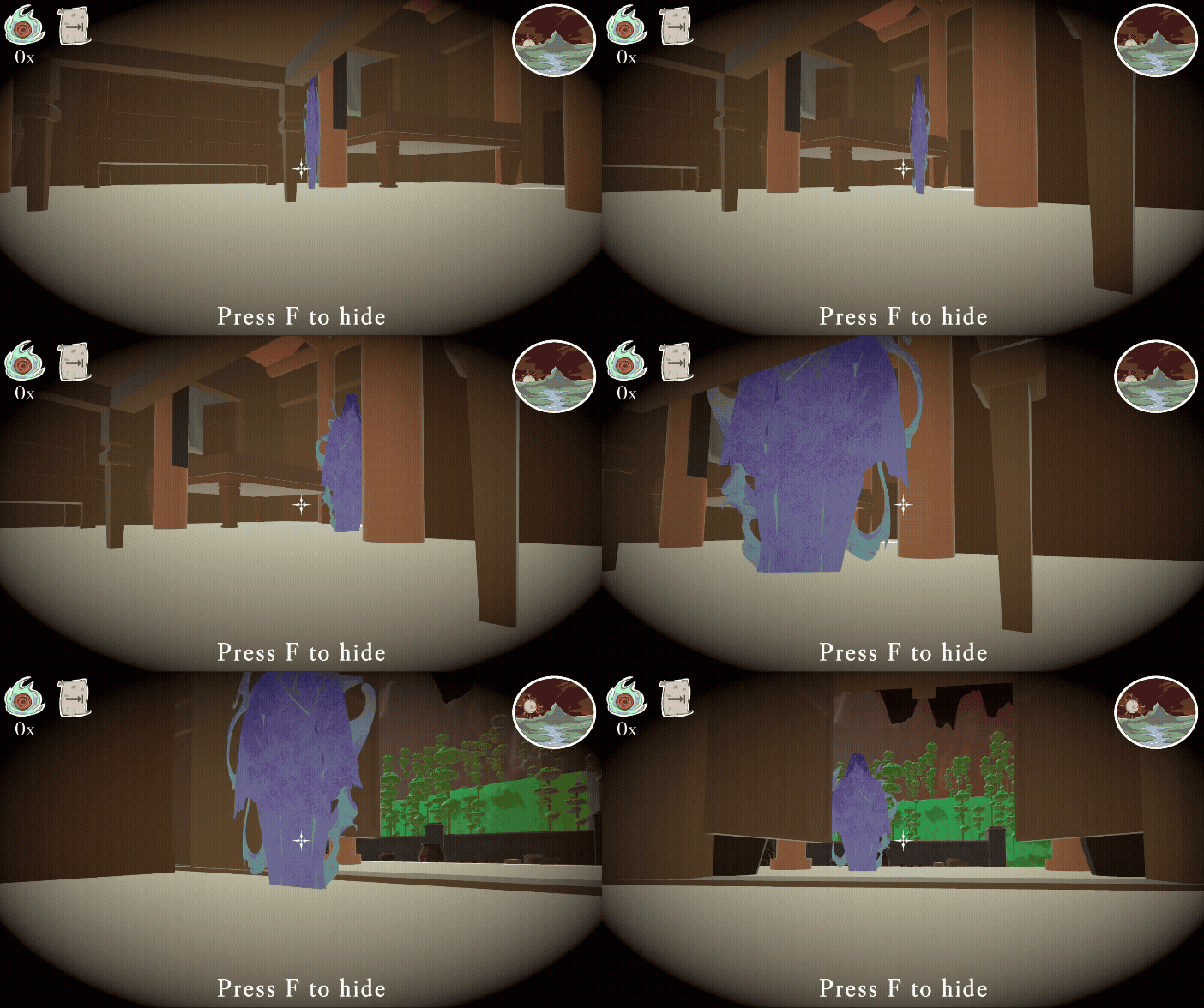
- If the player is hiding, they are hidden from the navmesh for pathfinding and any colliders of the AIs
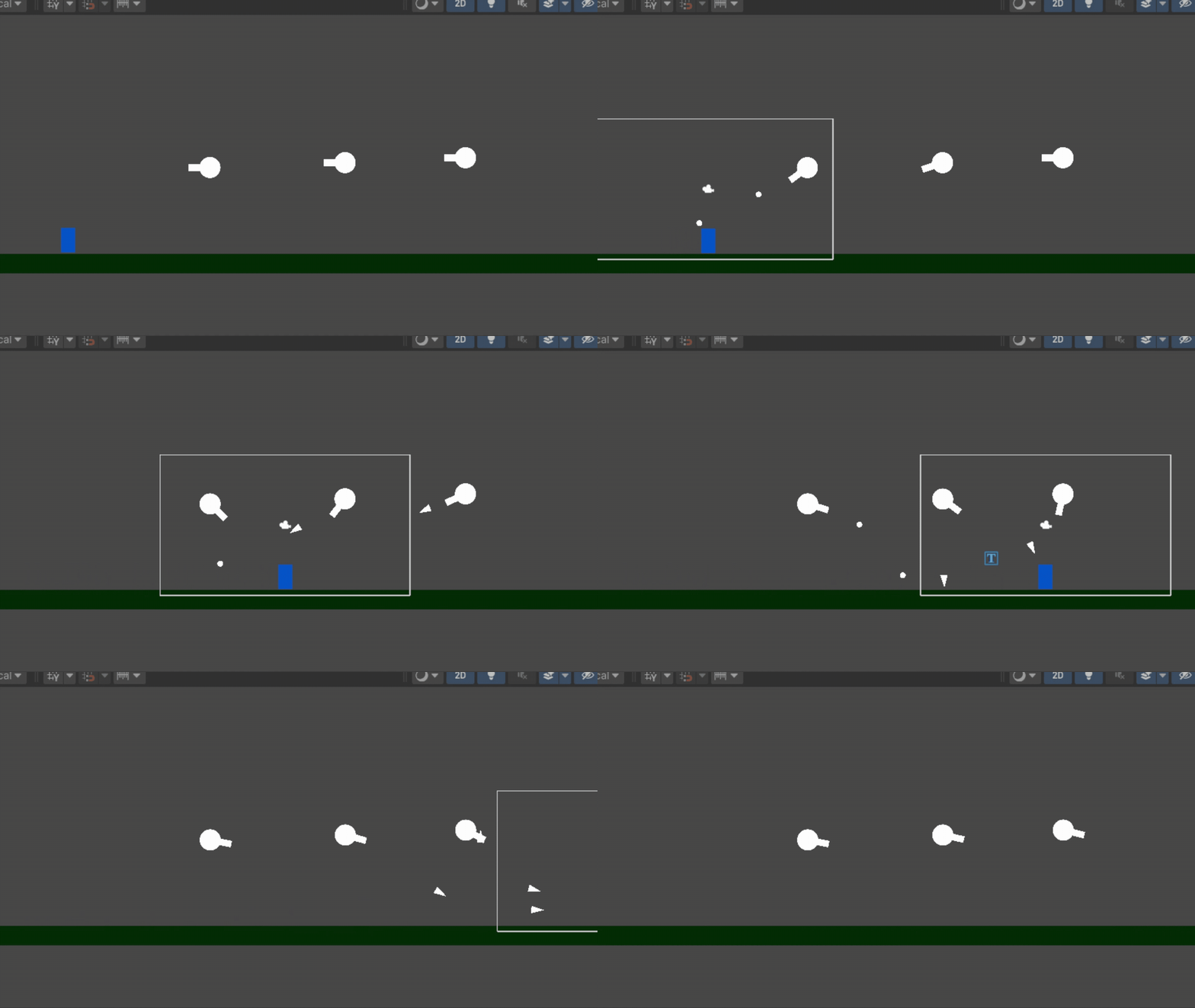
2D Turret
Each turret uses the same AI to track the player when they come nearby. They then shoot out a projectile set within their prefab. This allows for the model to be used in multiple ways. One of the projectiles has its own AI as well, allowing them to target the player. Once the projectiles are far enough from the player's view, they despawn to help performance.
Systems
Scroll down to learn more about how I've made multiple different systems within the games I've worked on and see what I've created in the past.
Tutorial
The tutorial is put together to look for specific actions to happen. Once an action is performed, the player moves on to the next part of the tutorial. The player is also locked into the tutorial area until they complete it.
Skills
Throughout these projects, I have had the pleasure of picking up many different skills and abilities.
An example of this is the number of Game Engines I have used:
Unity, Unreal, Godot, and GameMaker Studio.
As well as the different game genres I have experience in:
2D, 3D, First Person, Parkour, Roguelite, Arcade, Beat 'em up, Adventure, Stealth, and more
Programming Languages Used:
GameMaker Code, C#, Godot Script, Python, Java, JavaScript, CSS, and HTML5.
I also have experience using Unreal Blueprint.
I have experience in Object-Oriented Programming.
I have a lot of experience using GitHub, Google Drive, and other Google services
Press or hover over a tab to see more over a specific skill
Game Mechanics
Scroll down to learn more about how I've made multiple game mechanics within the games I've worked on and see what I've created in the past.
Weapons
The video above shows the demo setup, not the final placement of weapons during gameplay.
There are 3 different types of weapons within the game, each being unlocked throughout each level.
- The Sword is an object that plays a swinging motion to mimic swinging it to attack, but attacks using the crosshair and distance.
- The Gun shoots out a projectile from the barrel of the gun towards the location of the crosshair. This allows you to aim, while adding some difficulty. When the bullet's collider hits the enemy, it damages them.
- The Bomb is an object that is thrown with momentum. The longer the button is held down, the more the crosshair meter will fill up. The more filled up the meter is, the further the bomb will be thrown. The bomb is also timed to blow up, so you have to work with it. It damages enemies with the explosion’s collider.
- The inventory order for sorting through each weapon is set by picking each of them up. Each weapon is gained when you pick them up at the start of each level.
(There also may be a secret easter egg weapon of a gun that shoots bombs instead of bullets)
Grabbing and Dropping Objects
For grabbing objects, I used a raycast that looks for objects with the correct tag. Once found and the correct button is pressed, the object dissappears and is stored in the inventory.
For dropping objects, I have the raycast look for the correct tag once again. The purpose of the tag in this case is to avoid placing objects in the wrong places, possibly losing them. Once the correct tag is found, the button is pressed, and the inventory is searched for the object being placed. When found, the object is removed from the inventory and placed.
Dropping Walls for Defense
The wall is set up so that when the player's raycast hits it, the player can press the button and drop the wall. While the wall is down, it blocks all pathfinding, allowing the player to escape. The wall stays down for 15 seconds before it rises back up automatically. This forces the player to use them more strategically.
Searching Containers
When the Player's raycast hits the object with the correct tag and the button is pressed, the object changes into its opened state. Other objects can also be stored within the opened state, allowing for objects to be stored within them.
Gravity Game Project
Zero gravity physics applied to the player, where they use a fan to move around and stick to gain precision.
UI
Scroll down to learn more about how I've made multiple UI mechanics and menus within the games I've worked on and see what I've created in the past.
Strange Tower Menus
The Menus in the game consist of:
- The Main Menu with a Play, Controls, and Quit button.
- The Controls menu shows the controls and has a Back button to the Main Menu. The controls also show after the cutscene the first time the player plays the game.
- The Difficulty menu that shows before playing, which has buttons and explanations for each mode.
- The Pause menu with a Continue and Quit button.
- The Respawn menu with a Respawn and Main Menu button.
AI
Scroll down to learn more about how I've made multiple different AIs within the games I've worked on and see what I've created in the past.
Wyrm and Spirit Movement
I made 3 different types of movements for the enemies to make each one feel unique. Each one, though, moves differently between the village and the arena to manage the different spaces.
- Movement 1 has the enemy move faster the farther away they are from the target. This gives the enemy an intimidating feel at times, while also being easy to dodge. It was used as a starting enemy to introduce the enemies.
- Movement 2 keeps a constant speed no matter how far away they are from their target. This allows a challenging AI that might not be intimidating, but is very difficult to escape and dodge.
- Movement 3 has them move faster the closer they get to their target. This makes them into a very intimidating and unpredictable enemy that can surprise and overwhelm, but isn't too difficult to dodge.
Targeting
There are multiple different variables regarding how the AI targets the player:
- The Player has a sound collider that the AI looks for, allowing the AI to "hear" the player from afar
- The Player's sound collider gets bigger when they run
- There are obstacles like walls that the player can throw down to block the pathfinding, forcing the AI to take the long way towards them
- If the player is hiding, they are hidden from the navmesh for pathfinding and any colliders of the AIs
2D Turret
Each turret uses the same AI to track the player when they come nearby. They then shoot out a projectile set within their prefab. This allows for the model to be used in multiple ways. One of the projectiles has its own AI as well, allowing them to target the player. Once the projectiles are far enough from the player's view, they despawn to help performance.
Systems
Scroll down to learn more about how I've made multiple different systems within the games I've worked on and see what I've created in the past.
Tutorial
The tutorial is put together to look for specific actions to happen. Once an action is performed, the player moves on to the next part of the tutorial. The player is also locked into the tutorial area until they complete it.